

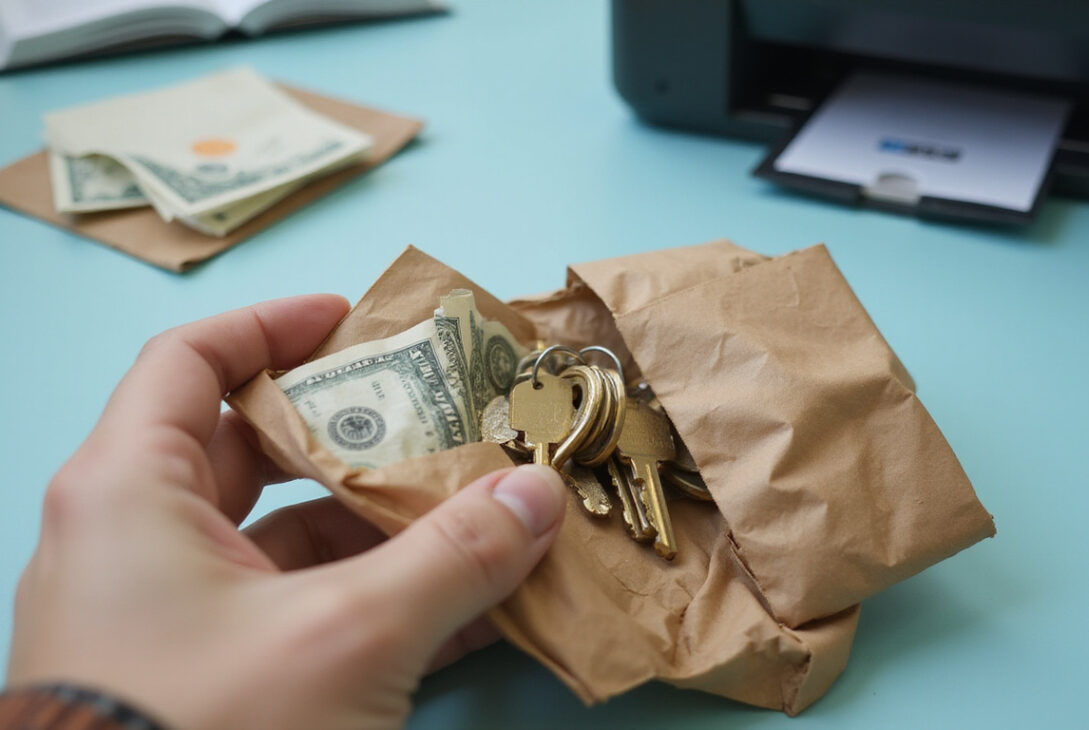
A paper wallet appears safe and simple. It stores crypto offline. It has no apps, no exchanges, no constant net link. Beginners like its look. But without risk insight, a paper wallet becomes dangerous. Understand the dangers. This guide shows mistakes and safe fixes.
What is a paper wallet, really?
A paper wallet prints your private key on paper. It may also show a QR code and public address.
In theory, offline key means:
• Hackers lack remote access.
• Apps have no code flaws.
• You solely manage funds.
Yet every step—create, store, use—carries risk. Insecure handling lets thieves steal coins.
Mistake #1: Generating a paper wallet on an online, connected device
Creating a wallet online is the common, dangerous mistake.
Online device risks are these:
• Malware logs keystrokes and screenshots.
• Browser add‑ons inject harmful code.
• A bad website gives stolen or predictable keys.
• Cache holds your private key in browser or disk.
If your device is compromised, storing the paper later does not help; your crypto is already exposed.
Safe steps include:
• Use a dedicated, offline computer.
• Download a known open‑source wallet generator.
• Verify its checksum or signature.
• Physically disconnect from the internet.
• Run the generator offline and then wipe the device.
Even with these steps, many experts now prefer hardware wallets over paper wallets.
Mistake #2: Using untrusted or unknown paper wallet generators
Not every generator is equal. Some generators hide code or are malicious.
Red flags include:
• Closed‑source code that you cannot check.
• New websites without reputation.
• Only live webpages—no offline version available.
• No documentation or GitHub transparency.
A bad generator may reuse keys or send your key to a remote server.
Better is to choose well‑known, long‑standing, open‑source tools from official sites. Check crypto forums or GitHub issues. Modern wallets (like hardware ones) are even safer.
Mistake #3: Printing a paper wallet on a networked or cloud‑connected printer
Modern printers do more than print; they store jobs in memory and link to Wi‑Fi or cloud.
A networked printer might expose your private key or seed phrase.
Safer printing means:
• Use a local, non‑networked printer.
• Disable cloud print and remote access.
• Clear the printer’s memory or do a factory reset afterward.
• Better yet, write down the keys by hand.
Mistake #4: Ignoring physical security and access control
Once printed, a paper wallet acts like a bearer asset.
Anyone who sees or photographs it can steal your coins.
Common errors include:
• Storing it in an easy‑access drawer.
• Sharing it with friends or posting a “cool QR code” online.
• Keeping it in a public wallet or backpack.
• Leaving it in a home with untrusted people.
Stronger practices are:
• Store in a fire‑proof, waterproof safe.
• Use a safe deposit box or secure service.
• Place it in a sealed envelope to detect tampering.
• Consider multiple secure locations if you hold large amounts.
Remember: a simple photo can steal your coins without even losing the paper.
Mistake #5: Making only one fragile copy (or too many uncontrolled copies)
Beginners often choose one single fragile paper or make many loose copies.
One copy risks loss from fire, flood, pets, kids, or misplacement.
Many copies multiply theft chances.
A balanced method is:
• Make 2–3 controlled copies.
• Store them in separate secure spots (for example, a home safe plus a bank box).
• Avoid casual photocopying or scanning.
• Label them clearly and protect them (laminate or use mylar sleeves).
Mistake #6: Exposing your private key when checking the balance
A trap with paper wallets is how many check balances.
They might scan a QR code with any mobile app or import the key into an online wallet.
If the app is insecure, your funds can vanish immediately.
A safe method is:
• Use only the public address to track your balance.
• Enter that address on a reputable blockchain explorer.
• Never paste or scan your private key into any device or app unless you plan to move funds permanently.
Mistake #7: Not understanding “sweep” vs. “import” when spending
When spending, beginners often import a key into a software wallet and then use both wallets.
Import simply adds the key; the funds remain with that address.
If that paper copy is ever photographed, attackers can still drain it.
Sweep means creating a new transaction that moves the funds to a fresh wallet address.
Then the paper key loses its safety and must be discarded.
Best practices:
- Use a reputable wallet with a sweeping feature.
- Sweep the entire balance in one transaction.
- Once funds arrive, destroy the old paper wallet by shredding or burning it.
Never use a paper wallet address again after its private key is exposed to an internet device.

Mistake #8: Storing a seed phrase as a paper wallet without precautions
Some write a modern seed phrase (12–24 words) on paper as their wallet.
This is better than a single key but must be kept extremely secure.
Common issues are:
• Writing the seed phrase alongside a wallet name or instruction.
• Storing it with other identifying papers.
• Typos or word order mistakes.
Better habits:
• Keep the seed phrase separate from any identifiers.
• Store it in a secure, fire‑ and water‑resistant form (for example, metal backup).
• Use it with a reputable hardware wallet instead of typing it into random software.
Mistake #9: Overestimating anonymity and underestimating regulations
Some think a paper wallet gives complete anonymity and freedom from regulation.
The blockchain remains public.
Even if you move funds to offline storage:
• Transactions are traceable.
• KYC exchanges leave audit trails.
• Regulated services can link activity back to you.
A paper wallet is a security device, not an invisibility cloak. Use it to control your keys—not to bypass laws.
Mistake #10: Using paper wallets instead of simpler, safer options
The biggest error is to assume a paper wallet is the best starting point.
For many new users, safer and easier options are:
• A hardware wallet from a reputable manufacturer.
• A well‑reviewed non‑custodial mobile or desktop wallet with built‑in backups.
• Learning to back up and secure a seed phrase properly.
Paper wallets lack:
• A built‑in transaction interface.
• Support to reduce human error in printing or typing.
• A simple way to update security practices without moving funds.
If you already hold funds on a paper wallet and doubt its creation method, consider transferring them to a modern and secure setup.
Quick checklist: Safe paper wallet practices (if you still want one)
If you choose a paper wallet despite the risks, follow this strict process:
1. Use a clean, offline device to generate keys.
2. Use a reputable, open‑source generator from an official site.
3. Disconnect from the internet before generating keys.
4. Print using a non‑networked printer or write down keys manually.
5. Create 2–3 copies and store them in separate, secure locations.
6. Track balances using only the public address on a blockchain explorer.
7. When spending, sweep the entire balance into a new wallet and then destroy the paper copy.
FAQ about paper wallet security
Are paper wallets safe for long‑term crypto storage?
A paper wallet can be safe for long‑term storage if every step is secure—offline generation, secure printing, and robust physical protection. For most, however, a reputable hardware wallet with a seed phrase backup is easier and less error‑prone.
What’s the difference between a paper wallet and a hardware wallet?
A paper wallet is simply your private key, printed or written on paper. A hardware wallet is a small, secure device that stores your keys and signs transactions offline. Hardware wallets reduce many risks inherent in paper wallets.
Can I reuse a paper wallet address for multiple transactions?
You can, but you shouldn’t. Reusing the address increases privacy and security risks. The best practice is to send funds to a paper wallet for cold storage once, then sweep all funds out in a single transaction when spending. Never use that address again.
Your crypto’s safety depends on where your private keys live and who can access them. A paper wallet gives you full control but also full responsibility. If you doubt the security of your paper wallet setup, transfer your funds to a modern hardware or software wallet. Upgrade your security today to keep your crypto protected.